Shot Room Module Version 12
Shot Room Module – Version 12
Theory of Operation
The Shot Room Module (Program) provides a tracking mechanism whereby the allergy shots doses can be determined based upon a build up table which is setup in advance for each patient. Reactions and other pertinent information can also be included along with the tracking. A late shot report can be produced from the database once a shot regime has commenced.
Getting Started
In order to give the first shot, you must enter vials with their respective antigens, and the generic build ups used into the immunization dictionary.
Sample Immunization Record for Grass / Ragweed
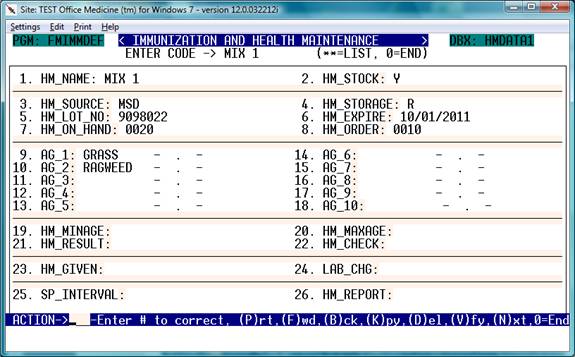
Field Explanations:
ENTER CODE:
Enter a code of 1-10 characters that represents the Shot Type to be given
- HM_NAME: Common name for the shot
- HM_STOCK: Reorder Information
- Fields #3-#7 Lot and Storage information
- Fields #9-#18 Antigen Makeup
- Field 24: – CPT Code for Billing
- Field 25: Shot Interval in days example: 3-7
In order to view the Shot Buildup – Enter ‘N’ for Next Page:
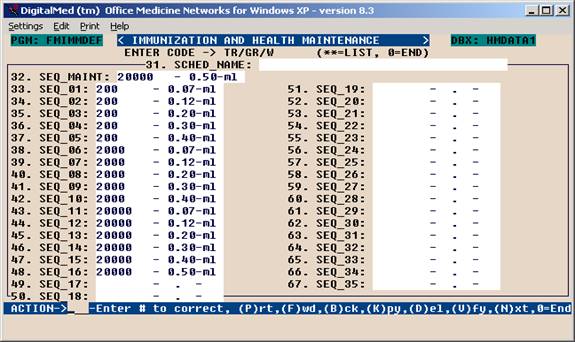
Here is where the Maintenance does and default (usual) buildup information is stored.
Specific Buildup information can be entered once a shot is attached to a patient.
Generic builds are usually entered under single letters, e.g. R = Rapid
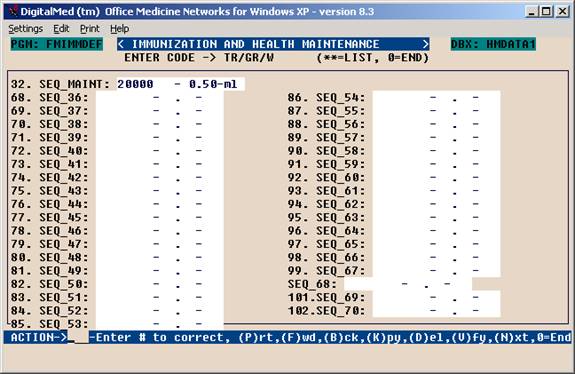
There may be as many as 70 steps in the buildup scheme.
Using the Shot Room
Example Screen
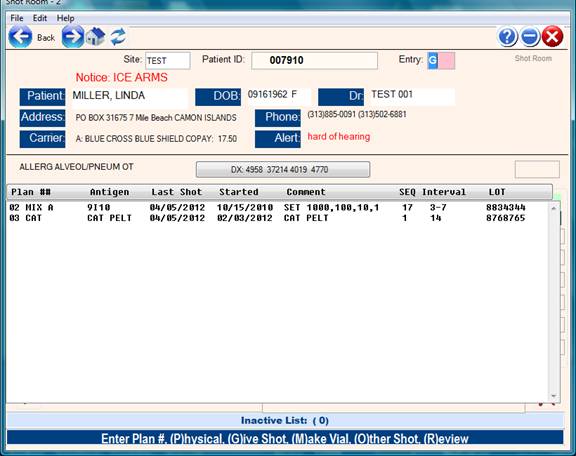
Entering a Shot Plan for Each Patient
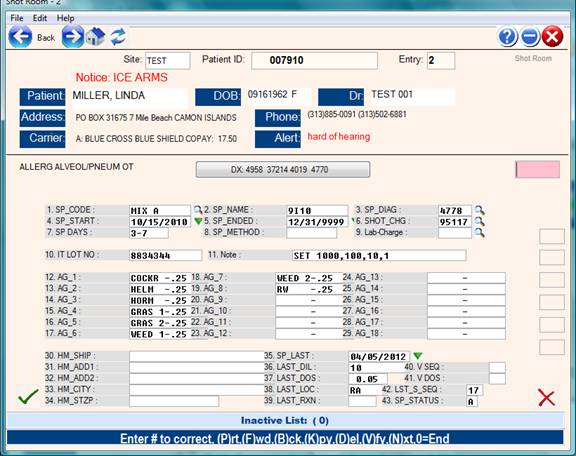
Here is where specific shot information can be changed per patient.
Steps:
Entry Field: Enter a number for each shot to be given ( 1-10)
Customize the shot as needed for the patient.
Enter more shots by numbering them 2,3,4 etc.
To give a shot the command is ‘G’ ( Give Shot )
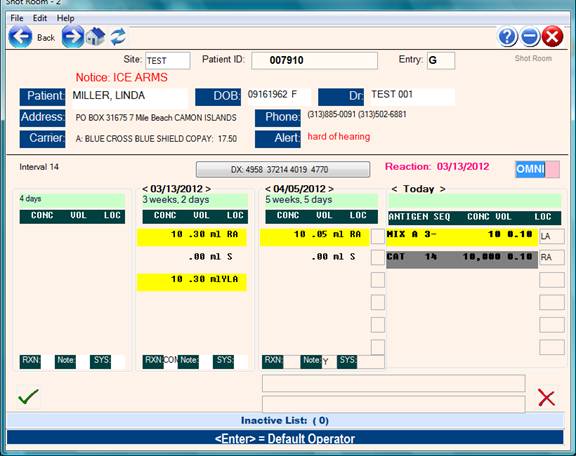
Steps to Give a Shot: - “G”
- Review past shots ( up to 3 ) or use “R”eview command for a complete history of all shots.
- Enter RXN ( Reaction ) of the last shot and make note entry if appropriate.
- Adjust plan sequence if appropriate.
- Indicate where shot was given
- Verify Shot
Steps to Review Shot Information: - “R”
- Enter “R” and select from Review Menu
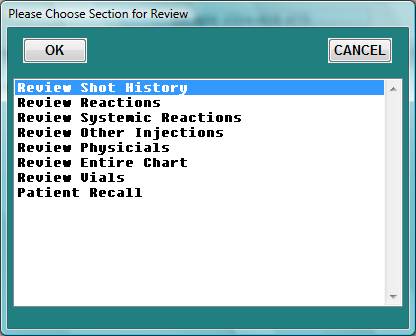
- Select and Click “OK”
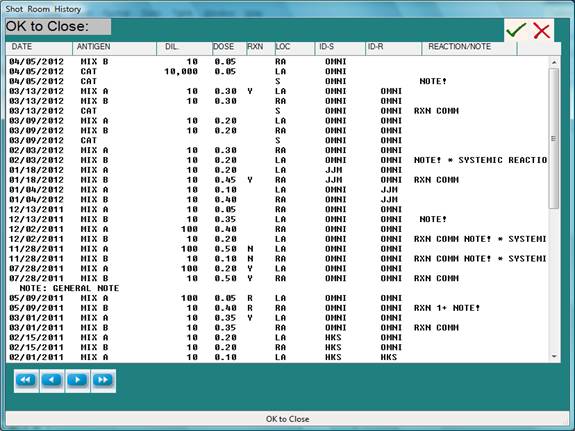
- Escape to close Review
- Escape or CANCEL to close Review Menu.
Notes:
Dymo Labels: 2 1/8 x 1 inch #30336 LW