Here is how to add new Sitecodes.
Step 1: Login as a SUPER user ID.
Step 2: Select #4 (Dictionary / Tables Menu) from the main menu.

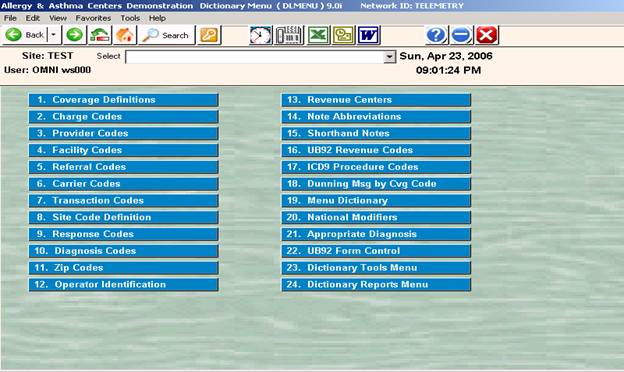
Step 3: Select #8 (Site Code Definition)
Step 4: Enter the code of an existing site code ( example “TEST”) and <Enter>
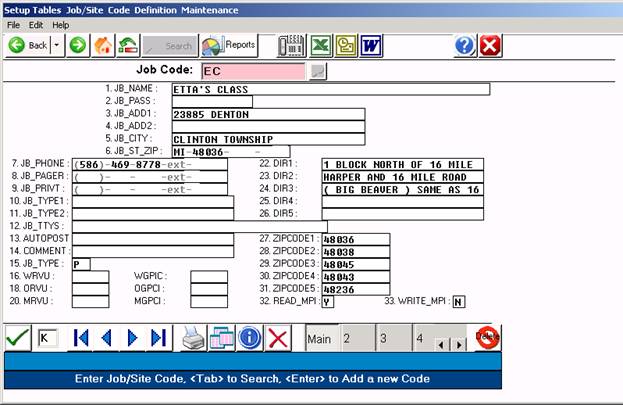
Step 6: From the COMMAND LINE, enter the letter "K" (Kopy) or click on the COPY icon.
Step 7: The cursor will be placed in the Site Code field at the top of the screen.
Step 8: Now enter the new Site code as appropriate for the purpose. ( PEDS, FAM1, or INT2 ) and escape.
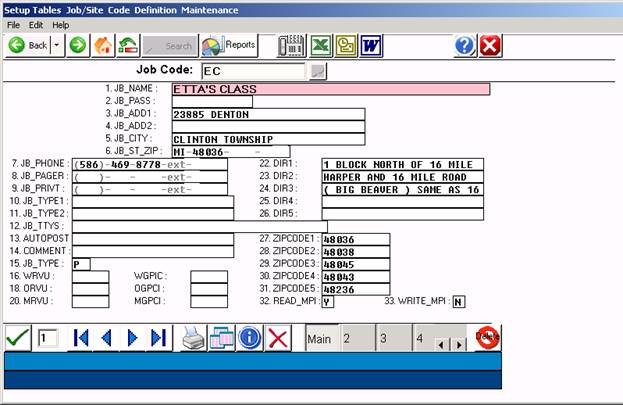
Step 9: Change field #1 to read the respective name of the site code.
Step 10: Escape to Save, Escape to exit the screen
Step 11: Log out / Log back in as the Site code.
Step 12: Add Physician codes "000", "001" etc.